This article describes Ghostrun 2.0 as it exists today, a managed automation workspace where intelligent workflows replace hard-coded business logic. Key topics: what clients receive (a full workspace application), the workspace experience (apps, workflows, Data Intelligence, Ghost AI Copilot, databases, scheduling), what workflows can accomplish, pre-built solutions across six business categories, integrations, security and compliance (PII handling, audit log, encryption), and the key differentiators that set it apart from SaaS and consulting.
What Ghostrun Is
Ghostrun is a managed automation platform. Revenant AI builds and operates intelligent workflows for clients. Clients interact directly with the finished product, a workspace application where their custom automation lives.
The key concept: workflows are the AI-native equivalent of business logic. In traditional enterprise software, developers hard-code business rules. When the business changes, someone rewrites code. In Ghostrun, business logic is expressed as intelligent workflows that understand context, reason over information, and adapt execution. When a client's process changes, we reconfigure workflows instantly. Reconfiguration replaces development cycles, code deployments, and migrations.
How the Engagement Works
Revenant operates as a white-glove managed service. The engagement model is straightforward:
- Revenant learns your business process
- Revenant builds intelligent workflows built around that process
- You receive a workspace, a persistent application you log into daily
- Revenant manages, monitors, and evolves the workflows over time
Clients see what workflows produce. The build process is proprietary. What matters to you is the output, a workspace that runs your operations, gets smarter over time, and requires zero internal technical staff to maintain.
This is a product delivery, a full workspace application at your own URL, backed by an ongoing managed service relationship. Revenant stays engaged after launch, and your workspace arrives fully configured and managed ongoing.
The Workspace Experience
When you engage with Revenant, you get access to a full workspace application at your own URL. It is a full product, a daily-use operating environment for the business functions Revenant automates.
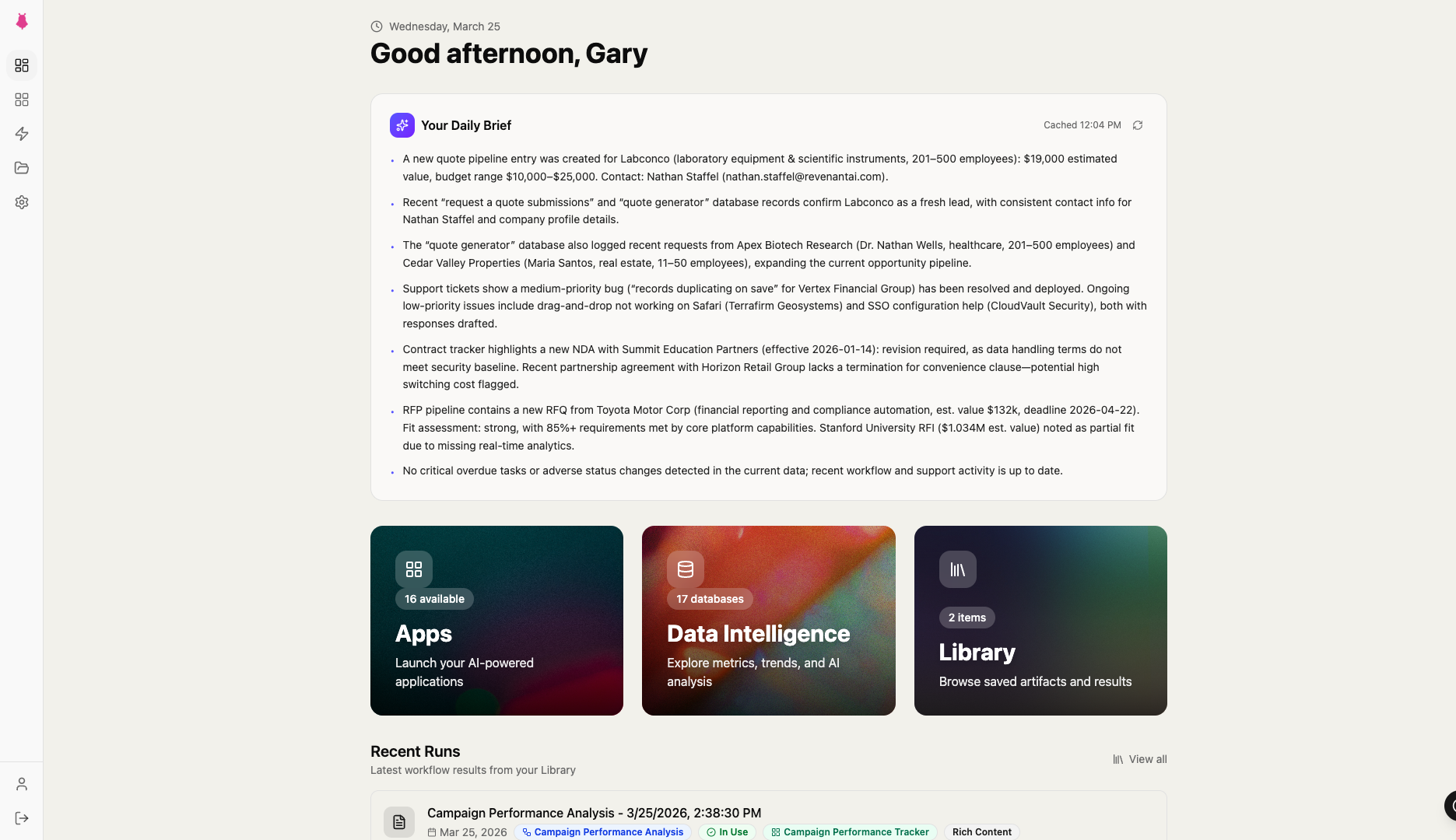
Upon login, you enter a workspace with a sidebar navigation rail. The workspace includes a dashboard home screen with stats, quick-access cards, and recent workflow runs. From here, everything is accessible: Apps, Workflows, Content (including the Artifact Library, Data Intelligence, Databases, and Pages), and Settings (Knowledge Base, Integrations, API Key Vault, and Audit Log).
The workspace is persistent. You log in and out. Data, artifacts, and history accumulate over time. The platform becomes more valuable the longer you use it.
Apps
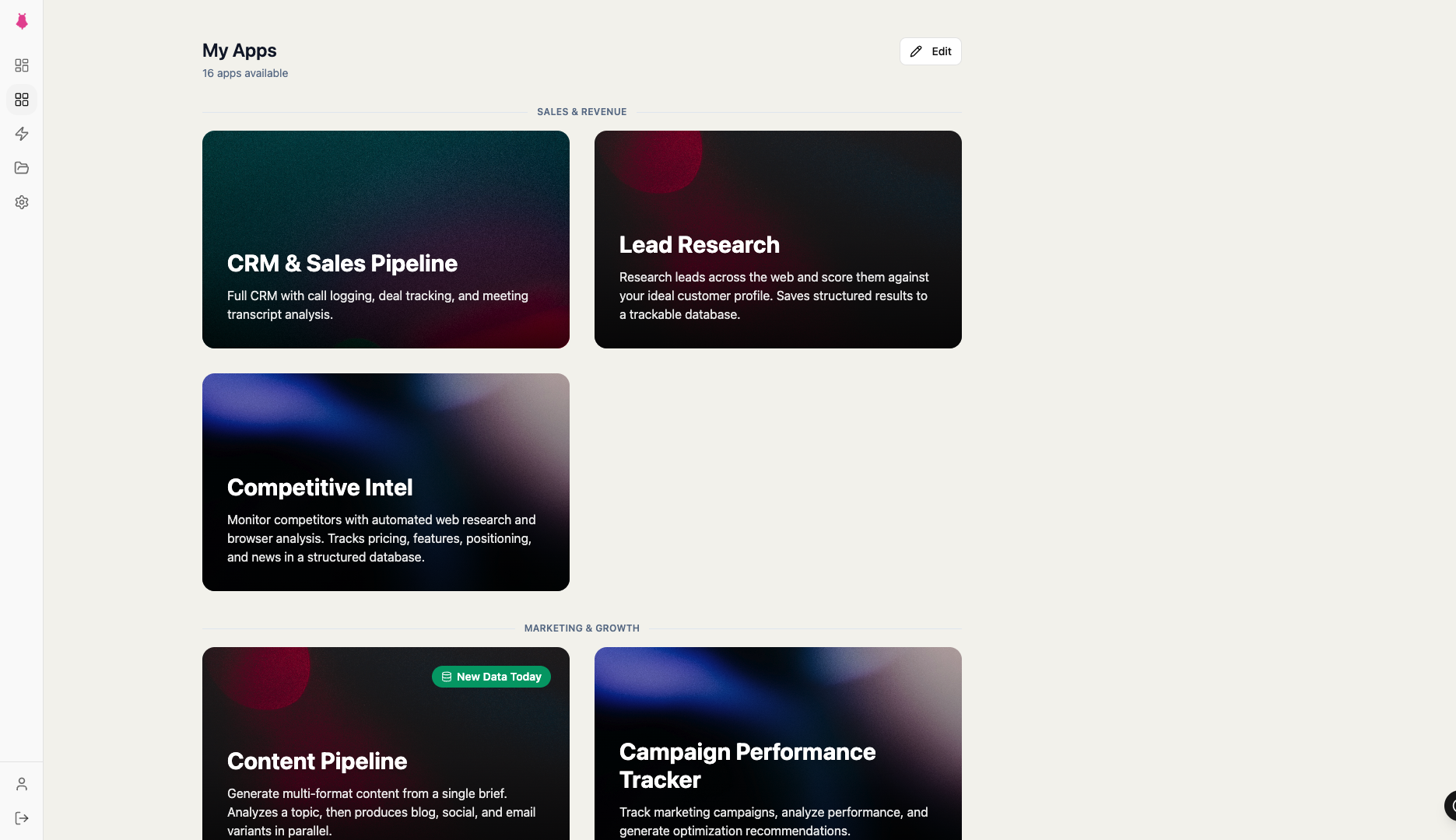
Apps are the primary way you interact with Ghostrun. An app packages multiple workflows into a single interface built around a business function. "Sales Intelligence," "Invoice Processing," "Content Production," or whatever your operation requires.
Apps operate in one of two modes:
Dashboard Mode. All workflows run in parallel and display results in a grid layout. Think of this as a real-time operational dashboard. Each panel shows the output of one workflow. Results are cached so returning to the app is instant.
Sequence Mode. Workflows run one after another in a guided, step-by-step process. The output of each step feeds into the next. You review and edit intermediate results before proceeding. This mode supports human review checkpoints, backtracking to re-run previous steps, and required edits where you must modify output before continuing.
Apps also include their own databases, pages for storing outputs, and a task sidebar. Access control restricts specific apps to specific teams.
Workflows
Individual workflows are available outside of apps for ad hoc use. You select a workflow, optionally provide input (text, file uploads, or database record selections), and run it. Workflows execute in the background. Navigate elsewhere while it runs and receive a notification when complete.
Workflow outputs come in four types:
- Transient. Results displayed in session only. Run-and-read.
- Artifact. Each run saves a permanent output to the Artifact Library.
- Versioned. Outputs saved with version history. View and compare previous versions.
- Interactive. The output is a stateful Mini-App, a fully interactive application you can manipulate.
Data Intelligence
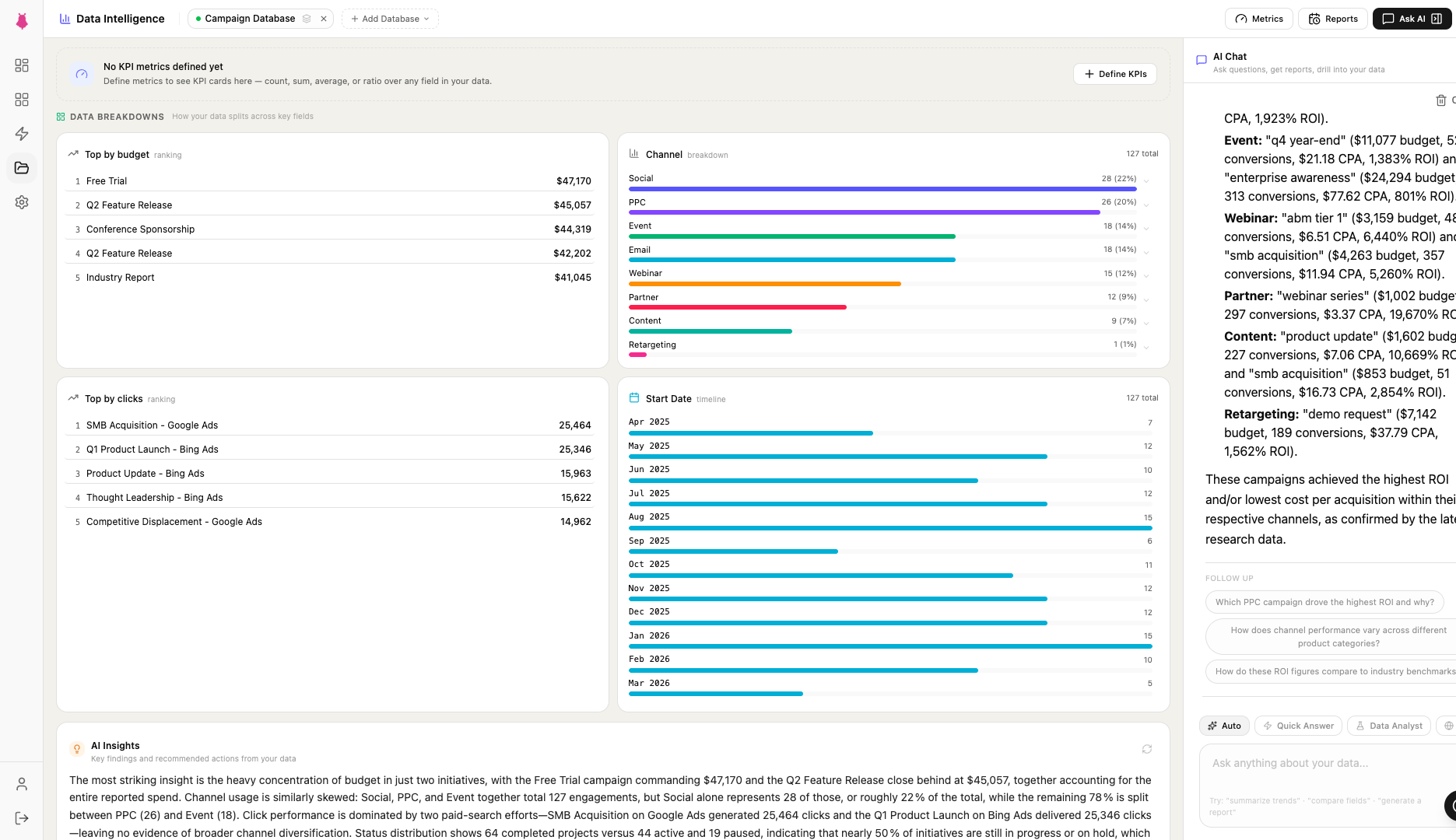
Data Intelligence is an AI-powered analytics interface that operates over your databases. Select one or more databases and interact with your data through four modes:
- Chat. Ask natural language questions. "Which leads have the highest engagement score?" "What invoices are overdue?"
- Report. Request structured analytical reports with statistics and breakdowns.
- Visualize. Generate interactive charts and graphs from your data.
- Briefing. Produce executive summaries suitable for leadership or stakeholder updates.
Data Intelligence draws on semantically indexed records, meaning it finds relevant data through contextual understanding and semantic similarity. Your team gets answers directly. Ask a question and get an answer.
Ghost AI Copilot
Ghost is a context-aware AI assistant embedded throughout the workspace. It knows what page you're on, what data you're looking at, and what actions are available. Ghost appears in three forms:
- Command Bar (Cmd+K). A global search and command palette. Search for apps, workflows, databases, artifacts, help content, and navigate instantly. Includes keyboard shortcuts for power users.
- Copilot Panel. A slide-out conversational panel. Ask questions, get help, and Ghost can trigger actions within the workspace.
- Quick Actions. A floating help button that shows contextual suggestions based on the current page.
Ghost also delivers nudges, contextual guidance that appears at appropriate moments. The result: zero training burden. Your team can navigate Ghostrun from day one.
Databases
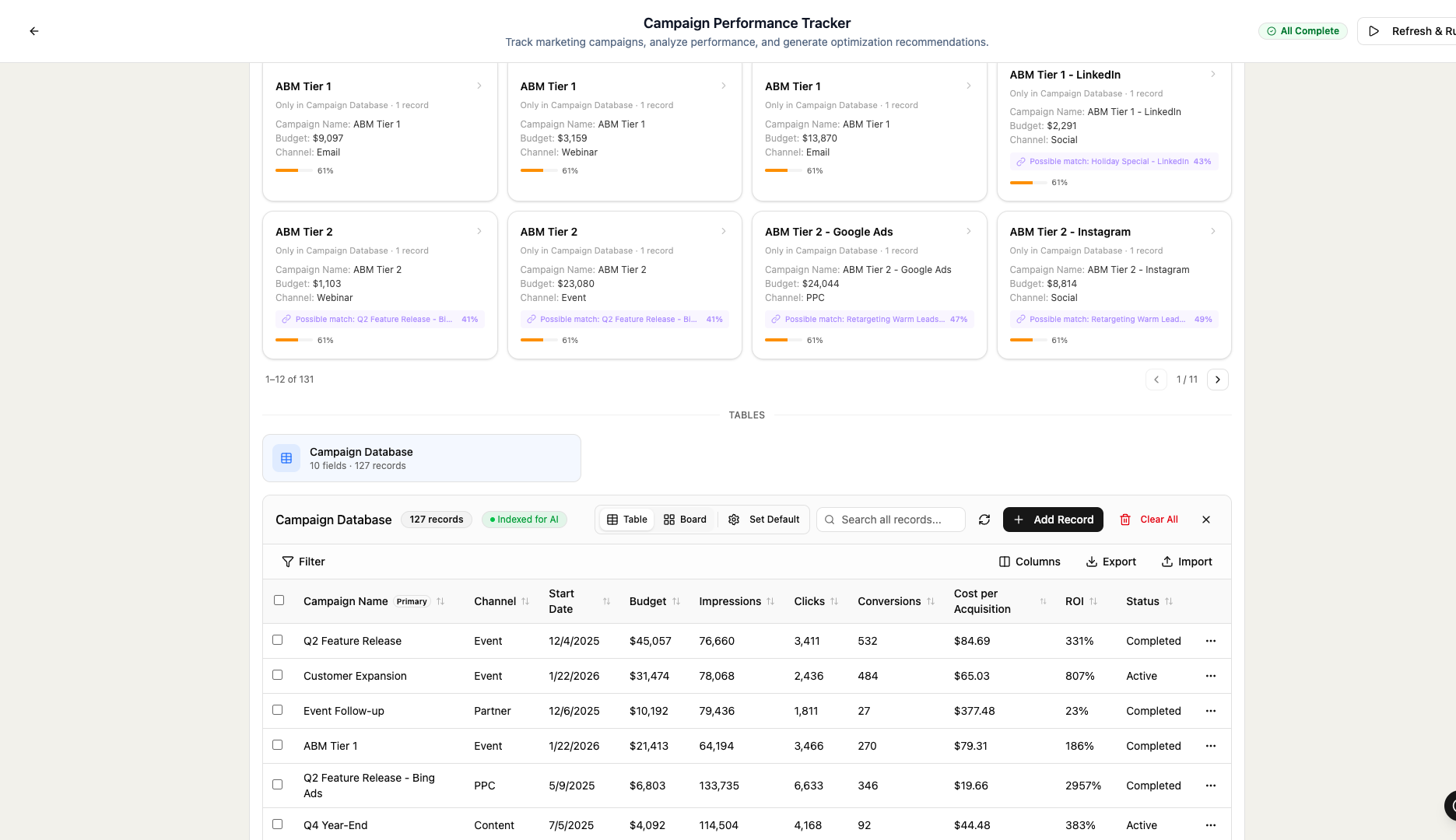
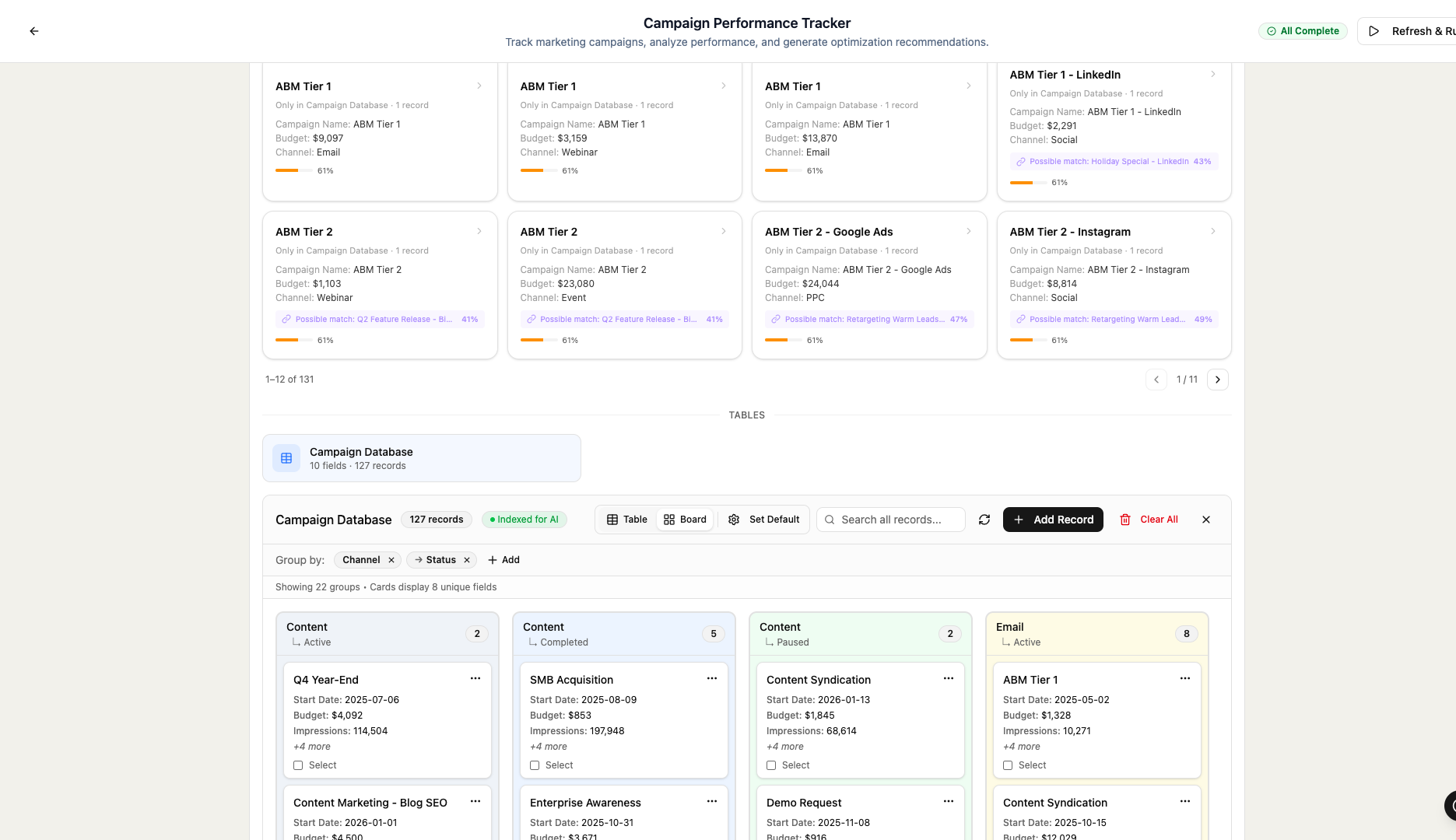
Your workspace includes custom databases with defined schemas organized by app. These are full structured data stores with table view, Kanban (board) view, full record details with threaded comments, CSV import, and integration import/export with your connected services.
Every record is automatically semantically indexed, enabling AI-powered search, similarity detection, clustering, and duplicate identification across your data. Your databases are AI-ready from the moment data enters.
Pages & Artifact Library
Pages are a content layer for storing and annotating workflow outputs. They function as rich text documents with threaded notes, task creation, and organization by app. The Artifact Library is a browsable archive of all saved workflow outputs, filterable by type, source, and date, with version history and the ability to launch Interactive Mini-Apps directly.
The library grows over time, becoming a knowledge repository of everything the platform has produced. Everything is preserved. Every output builds on what came before.
Scheduling & Autonomous Operations
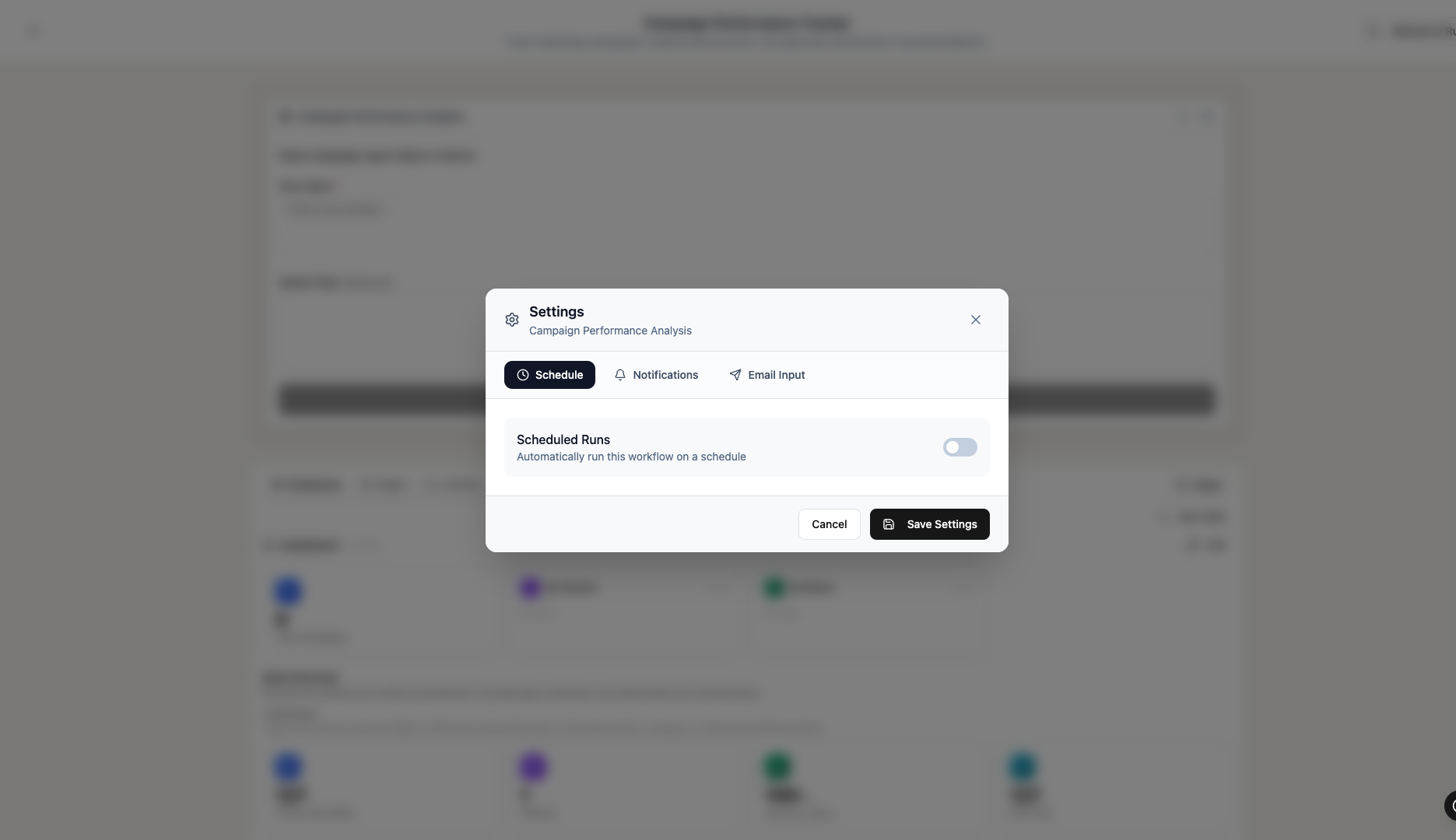
Workflows and apps can be scheduled to run on their own on recurring intervals, including hourly, daily, weekly, monthly, or custom cron expressions. The scheduling system supports timezone selection, email notifications on success or failure, configurable recipients, manual "Run Now" triggers, and full execution history.
Workflows execute 24/7 on their own schedule. Your platform works around the clock.
What Workflows Can Do
Workflows are composed of intelligent capabilities. Here is what they accomplish, and what they replace in your team's manual workload:
- Generate, analyze, and transform text using advanced language models
- Search the live web for current information with source citations
- Navigate and extract content from websites, understanding page structure and following multi-step paths
- Analyze PDFs and documents, extracting structured data, answering questions, and summarizing content
- Search uploaded files and documents across the knowledge base
- Execute code for calculations, data processing, and analysis
- Generate images from text descriptions
- Convert text to speech as audio files
- Process multimodal inputs, reasoning over images, audio, and mixed media
- Connect to external APIs, calling any HTTP endpoint with configured authentication
- Read from and write to connected integrations, interacting with CRMs, drives, messaging, project management tools
- Query and filter database records, using structured data as workflow inputs
- Combine and format outputs from multiple steps into structured deliverables (HTML, Markdown, JSON)
These capabilities are composed in sequences and parallel branches. A single workflow might research a company on the web, cross-reference it against database records, generate a report, and push a summary to your CRM, all as one execution. Complete work ships, every time.
Pre-Built Solutions
The platform includes ready-made solutions across six business categories. These represent starting points. Your workspace workflows are specific to your processes and data.
Sales & CRM
Lead Research Pipeline
Researches a company and contact, generates personalized outreach emails backed by deep, research-driven intelligence.
Competitor Analysis
Deep competitive intelligence with battle card talking points your sales team can deploy immediately.
Marketing
Content Repurposer
Transforms long-form content into LinkedIn posts, X threads, and email newsletters. One input, multiple formats.
SEO Blog Writer
Researches a topic, analyzes search intent, and writes a structured, SEO-optimized blog post.
HR & Recruiting
Resume Screener
Analyzes resumes against job requirements, scores candidates, suggests targeted interview questions.
Job Description Writer
Researches market standards and generates complete job descriptions calibrated to your hiring goals.
Finance
Financial Report Summarizer
Extracts key metrics from financial documents, produces executive summaries ready for leadership review.
Invoice Data Extractor
Parses invoices into structured data with validation checks and GL coding suggestions.
Operations
Document Q&A
Upload a document, ask questions, and get cited answers instantly.
Meeting Summarizer
Produces email-ready summaries and wiki-ready documentation from meeting notes or transcripts.
Customer Support
Support Ticket Responder
Analyzes ticket context, drafts appropriate responses including variants for frustrated customers.
FAQ Generator
Clusters common questions and writes structured FAQ content ready for knowledge base import.
Integrations & Knowledge
Clients connect their existing third-party tools to Ghostrun via OAuth. Connections are managed in the Settings panel. Integrations are bidirectional. Workflows can pull data from connected services and push results back.
The integration system supports Google Workspace, HubSpot, Salesforce, Slack, Microsoft Teams, Airtable, Notion, and many more. Connect and disconnect from Settings. Test connections. View available actions per provider.
The workspace also includes a Knowledge Base, a managed collection of company-specific content blocks including product descriptions, brand guidelines, ICP definitions, process documentation, and policies. This knowledge directly influences the quality and specificity of workflow outputs. The more context stored, the sharper every result gets. The knowledge base is categorized, searchable, and makes the platform smarter over time.
Security & Compliance
PII Handling
Workflows operate in three configurable PII modes: Off (detection disabled), Log (detect and record PII encounters while preserving original data), and Filter (automatically redact PII before AI processing). The system detects 12+ types of sensitive data: email addresses, phone numbers, SSNs, credit card numbers, physical addresses, dates of birth, driver's license numbers, passport numbers, IBANs, bank routing numbers, IP addresses, and API keys.
Audit Log
A complete activity log of platform operations. Filterable, searchable, exportable as CSV. Tracks workflow executions, data changes, login events, and PII detection events.
API Key Vault
Securely stores API keys for external services. Keys encrypted at rest and used by workflows that call third-party APIs. All keys remain encrypted and protected across configurations and logs.
Authentication
Multi-factor authentication via any standard authenticator app. SSO integration via Okta for enterprise identity management. Administrators can monitor MFA enrollment across the team.
Data Protection
All data encrypted at rest and in transit. Multi-tenant architecture with row-level security and complete tenant isolation. GDPR compliant with full audit trails and privacy controls.
Access Control
Two roles: tenant administrator (manages knowledge, integrations, API keys, and audit logs) and member (uses apps and workflows). App-level access control restricts visibility by team. The platform routes across multiple AI model providers for reliability, performance, and full provider flexibility.
Why This Is Different
It is living software.
Clients receive a persistent workspace application. You log in, interact with your data, run workflows, and manage outputs in a living system. The workspace is there every day, accumulating knowledge and improving.
Business logic is intelligent and adaptive.
Workflows reason dynamically over context. They adapt to new information within a single execution. When the business changes, workflows are reconfigured instantly. Reconfiguration replaces development cycles, code deployments, and migrations.
The platform has memory.
Every workflow run produces artifacts. Every database record is semantically indexed. The knowledge base grows. Data Intelligence improves with more context. The platform becomes more valuable over time, growing smarter with every execution.
AI is deeply embedded.
Ghost AI Copilot, Data Intelligence, semantic search, and PII detection are all native to the platform, woven into every layer of the client experience.
Operations are autonomous.
Scheduled workflows run automatically on their own schedule. Background execution means results appear while you focus on other work. Email notifications keep stakeholders informed. The platform runs around the clock.